 Documentation
Documentation
Documentation
How CRM, inbox, and sales handoff work together.
Last updated 31 August 2026
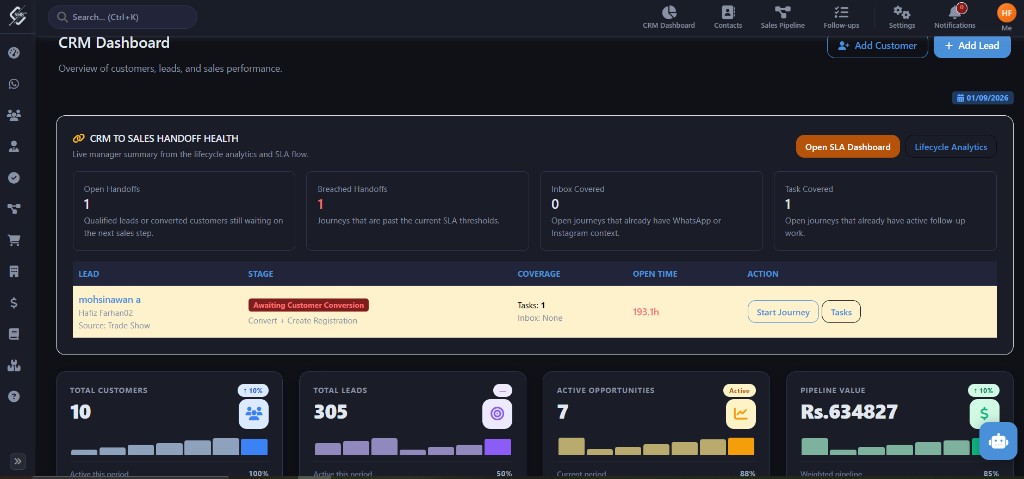
The intended business flow is Lead → Customer → Registration / booking → follow-up and collections. CRM attribution (source, campaign, owner) can carry into later sales records.
Leads Inbox unifies WhatsApp, Messenger, and Instagram Direct threads so the team can assign conversations, convert chat to a lead, and keep history on the record.
Leads enter CRM through manual creation, Marketing Hub campaign capture, inbox conversion (chat-to-lead), and automation when configured.
The product includes AI lead scoring based on signals such as channel and response time. Use scores as a priority hint, not as the only qualification rule.
Pipeline stages are configurable (for example New through Closed Won/Lost). Kanban-style boards let teams move opportunities between stages.
Follow-up tasks track what is due on leads and customers. Automation rules can create tasks or send messages when triggers such as Follow-up Overdue fire.
Use the navigation paths and steps in this article. If a menu is missing, check module entitlements and permissions.
Your role may lack the required permission, or the module may not be enabled for your company. Contact an administrator.
Contact the Smart Business 360 team if you cannot find the right guide.