 Documentation
Documentation
Documentation
Business process automation rules that run actions when verified trigger events occur.
Last updated 31 August 2026
Smart Business 360 includes automation rules — company-scoped workflows that evaluate a trigger event and optional conditions, then perform an action such as sending a message, creating a task, assigning an agent, or updating a status.
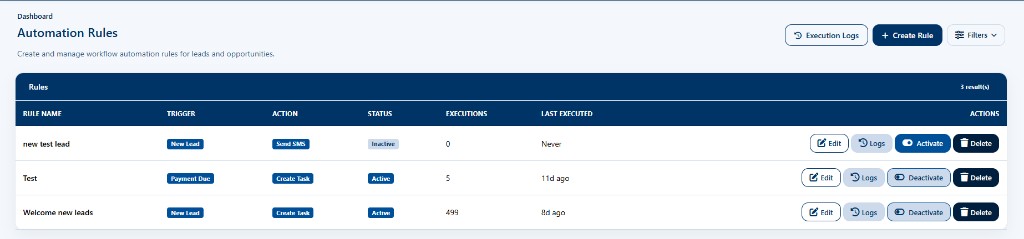
Automation rules are separate from approval workflows, which always require a human approver. See the workflows article for rule anatomy, verified triggers, and execution monitoring.
Approvals & automation reference (legacy page)
Open the Automation area from the main navigation and use the screens referenced in this article.
Your role may lack the required permission, or the module may not be enabled for your company. Contact an administrator.
Contact the Smart Business 360 team if you cannot find the right guide.